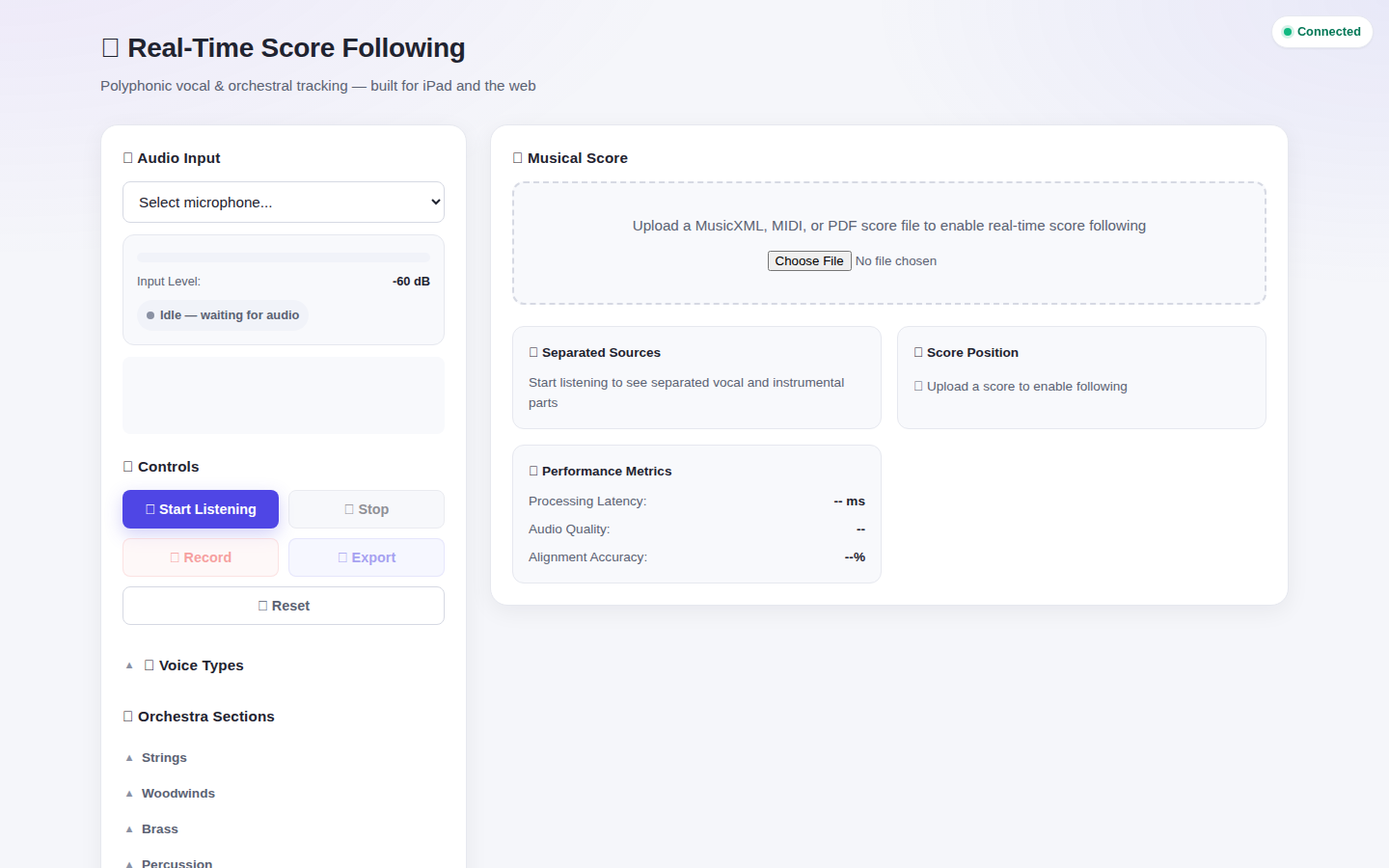
ScoreFollower listens to a live performance through your microphone and highlights your position on the sheet music in real time — built for iPad on a music stand, or any browser.
Every feature here is running in the live app today — nothing on this page is a mockup.
Captures audio straight from your browser via WebRTC — no plugin, no companion app, no server-side recording device.
Upload the score you're actually performing from. PDF pages are read directly — no need to re-engrave a piece just to follow it.
Isolates vocal and instrumental parts from the live mix so following your own part stays clear even in a full ensemble.
Select your section — strings, woodwinds, brass, percussion, or voice type — so tracking is tuned to what you're actually playing or singing.
Processing latency, audio quality, and alignment accuracy, visible live while you play — not just after the fact.
A real Progressive Web App — add it to your home screen and it opens full-screen, landscape, ready for the stand.
Drop in a MusicXML, MIDI, or PDF file for the piece you're performing.
Grant browser mic access and pick an input — built-in, headset, or an external interface.
Press Start. ScoreFollower streams audio over a live WebSocket connection and tracks position as you play.
Your position highlights on the page automatically — hands free, eyes on the music.